
Communicationv1.3.0
Image Map
Clickable hotspots overlaid on any image
Overlay clickable hotspots on any image to create interactive floor plans, illustrated diagrams, or visual navigation panels.
✓ SharePoint Online✓ Microsoft 365
About This Webpart
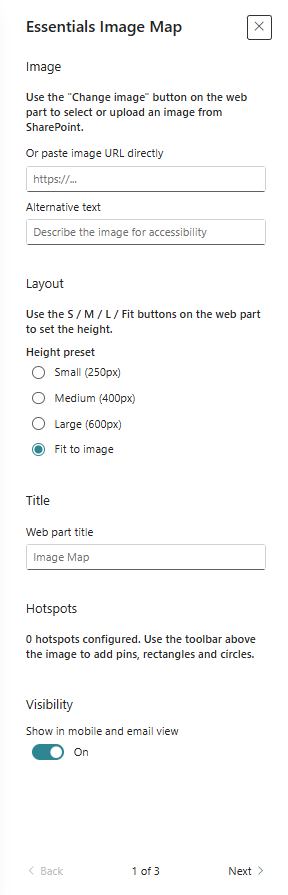
Image Map lets editors place pin, teardrop, or rounded-rectangle hotspots directly onto any image using a full-screen visual editor — no design tool required. The built-in Site Assets file picker with thumbnail previews speeds up image selection, and preset height options (S/M/L/Fit/Custom) keep the layout consistent across different page widths.
Key Features
📍
Three Hotspot Shapes
Place pin, teardrop, or rounded-rectangle hotspots on any part of the image.
✏️
Full-screen Editor
In-place visual hotspot editor — drag, resize, and label hotspots without leaving SharePoint.
🖼️
Site Assets Picker
Browse Site Assets with image thumbnails to find and select your base image quickly.
📐
Height Presets
S, M, L, Fit, and Custom height options for consistent layout across page widths.
Screenshots & Media
Configuration Guide
Need help setting up Image Map? Visit the full step-by-step configuration guide for detailed instructions.
View Configuration Guide →Tags:#image-map#hotspots#interactive#floor-plan#diagram#visual
Ready to deploy Image Map?
Get in touch and we will walk you through installation and configuration.