
Essentials Polls
Lightweight polling on SharePoint pages with live results and multiple layouts
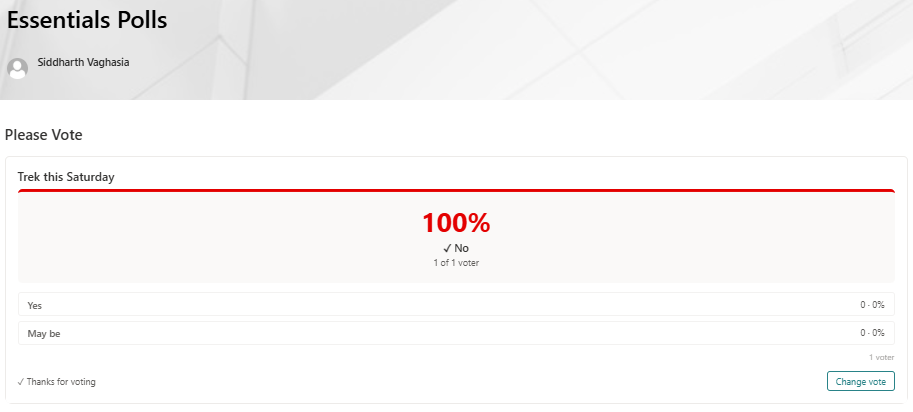
Add quick employee or audience polls to any intranet page, with vote tracking, responsive result display, configurable expiry & answer layouts.
About This Webpart
Key Features
Multi-choice Questions
Single-choice or multi-choice poll questions with configurable answer options.
One Vote per User
Vote-once enforcement per user account prevents ballot stuffing.
Live Results
Percentage results update in real time as votes are cast.
Configurable Expiry
Set a poll end date — the webpart automatically shows results-only after expiry.
Polls Admin Pairing
Create and manage all polls centrally via Polls Admin without editing individual pages.
Screenshots & Media
Configuration Guide
Need help setting up Essentials Polls? Visit the full step-by-step configuration guide for detailed instructions.
View Configuration Guide →Ready to deploy Essentials Polls?
Get in touch and we will walk you through installation and configuration.