
Essentials Quick Links
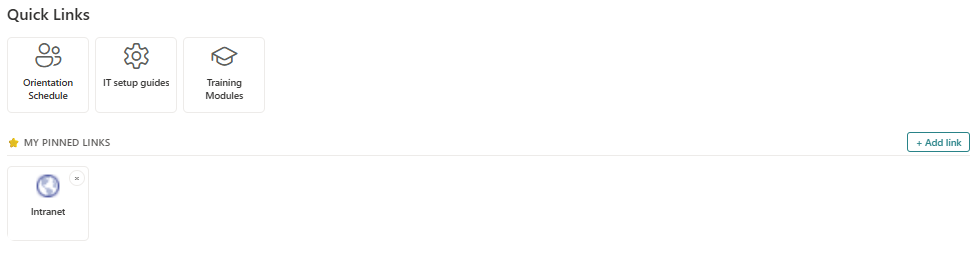
Tile/Grid based shortcut links to important destinations
Provide a configurable icon-driven tile grid for high-value intranet shortcuts, helping employees launch common resources, service tools, and essential pages with one glance.
About This Webpart
Essentials Quick Links creates a visually consistent shortcut panel made from icon tiles/grid that point to the most-used links like intranet destinations, policy pages, help desk requests, team sites. The layout is optimized for fast recognition and mobile-friendly navigation.
Tiles are sourced from the central Links Admin catalogue, allowing administrators to manage the full shortcut set centrally while page authors select the most relevant subset for each page. Audience targeting and per-page filtering keep the experience focused, so users only see shortcuts that matter to their role.
Ideal for intranet homepages, department portals, and employee task hubs, Essentials Quick Links turns a scattered navigation menu into a compact visual launchpad for the resources employees use most.
Key Features
Icon Tile Layout
Clean, recognisable icon-based tile grid for fast visual navigation.
Tenant-wide Catalogue
Tiles are managed in a single Links Admin catalogue — update once, propagate everywhere.
Per-page Subset
Choose which links from the catalogue to show on each page instance.
Audience Targeting
Display links only to the Azure AD groups for whom they are relevant.
Screenshots & Media
Configuration Guide
Need help setting up Essentials Quick Links? Visit the full step-by-step configuration guide for detailed instructions.
View Configuration Guide →Ready to deploy Essentials Quick Links?
Get in touch and we will walk you through installation and configuration.