
Essentials Table of Contents
Auto-generated sticky navigation from page headings for easy and faster navigation on long SharePoint pages
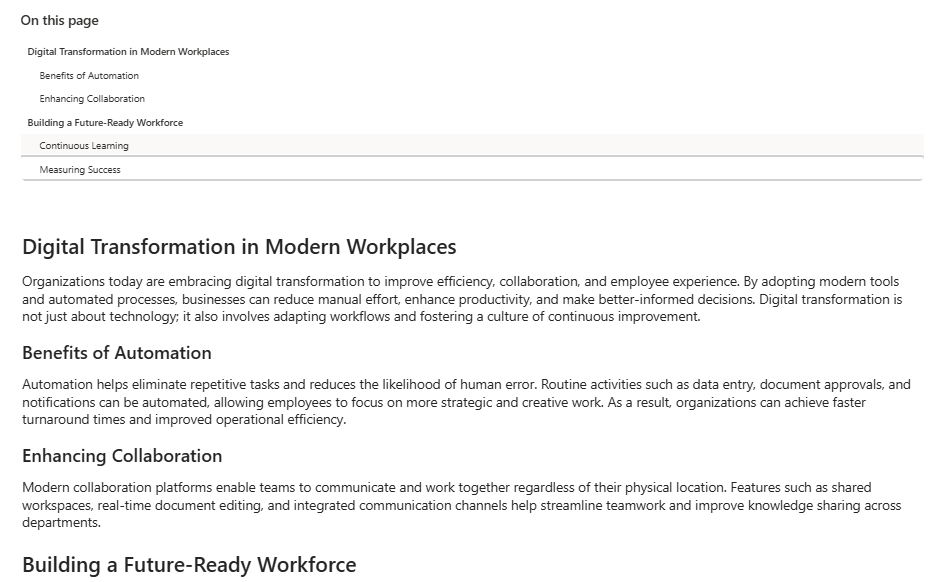
Automatically generate a sticky Table of Contents navigation from the headings on a long SharePoint page, with smooth jump-to-section and current-heading highlighting.
About This Webpart
Key Features
Auto-generated
Reads H1–H4 headings from the page automatically — no manual list to maintain.
Sticky Scroll
Navigation stays visible as users scroll through the full page.
Smooth Jump Navigation
Click any heading to smooth-scroll directly to that section.
Current Heading Indicator
Highlights the heading that corresponds to the user's current scroll position.
Screenshots & Media
Configuration Guide
Need help setting up Essentials Table of Contents? Visit the full step-by-step configuration guide for detailed instructions.
View Configuration Guide →Ready to deploy Essentials Table of Contents?
Get in touch and we will walk you through installation and configuration.