
Essentials Document Rollup
Surface documents from one or more SharePoint sites into a single visual browse experience
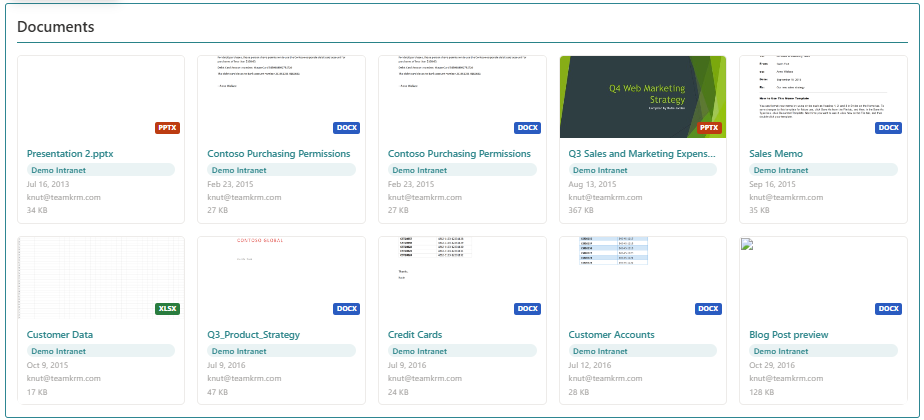
Surface documents from multiple SharePoint sites in one webpart, with file-type filtering, KQL advanced mode, keyword search. Visible in various layouts like list or grid layouts.
About This Webpart
Key Features
Multi-site Aggregation
Query document libraries across multiple SharePoint sites in a single webpart.
File Type Filter
Filter results by file type (DOCX, XLSX, PDF, etc.), modified date, and author.
KQL Advanced Mode
Write KQL queries directly for precise, technically complex document filtering.
List & Grid Layouts
Switch between a compact list view and a visual card grid layout.
Sort Options
Sort by most recently modified or alphabetically by file name.
Screenshots & Media
Configuration Guide
Need help setting up Essentials Document Rollup? Visit the full step-by-step configuration guide for detailed instructions.
View Configuration Guide →Ready to deploy Essentials Document Rollup?
Get in touch and we will walk you through installation and configuration.