
Essential News Rollup
Aggregate news from one or more SharePoint sites with multiple layouts and flexible filtering
Pull news articles from any combination of SharePoint sites and present them in a polished, multi-layout feed with per-site metadata filtering, audience targeting, and no-code configuration.
About This Webpart
Essentials News Rollup brings together news from one or more SharePoint sites into a unified, visually rich feed.
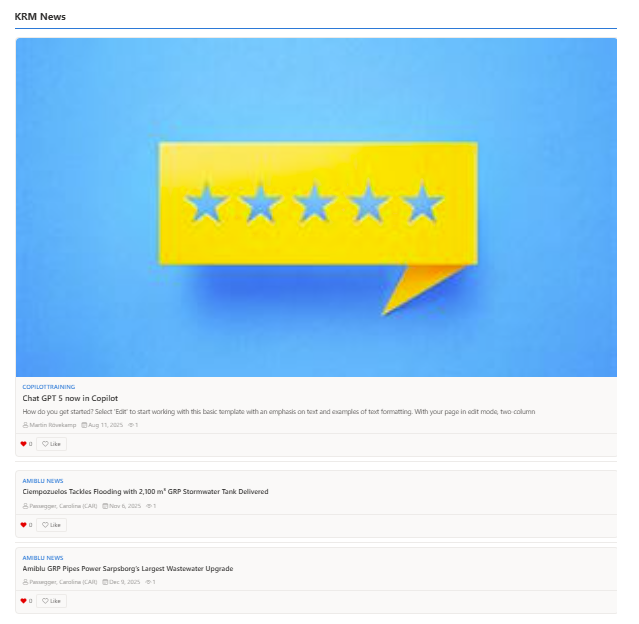
It empowers editors to highlight the most relevant stories using audience targeting, per-source metadata filters, and advanced KQL queries while maintaining a no-code editing experience. Multiple display modes — including Hero, Top Story, Rotator, Feed, and Vertical Tiles — let you tailor the presentation to the page and audience.
Key Features
Flexible News Sources
Pull from all sites, this site, hub sites, followed sites, or a custom hand-picked list of sites.
Five Layout Options
Hero, Top Story, Rotator, Feed, and Vertical Tiles — switch layouts without changing your data source.
KQL Advanced Mode
Write KQL queries directly for precise, technical filtering beyond what the standard UI exposes.
Metadata Filtering
Filter by managed metadata and SharePoint choice column values, per source site.
Full-bleed Support
Renders edge-to-edge in SharePoint full-bleed sections for immersive layout options.
Per-site Filters
Apply different metadata filters to each news source independently.
Screenshots & Media
Configuration Guide
Need help setting up Essential News Rollup? Visit the full step-by-step configuration guide for detailed instructions.
View Configuration Guide →Ready to deploy Essential News Rollup?
Get in touch and we will walk you through installation and configuration.