Essentials News Rollup
Aggregate news and announcements into configurable rollup layouts.
Configuration Guide
- Add the News Rollup web part to the page.
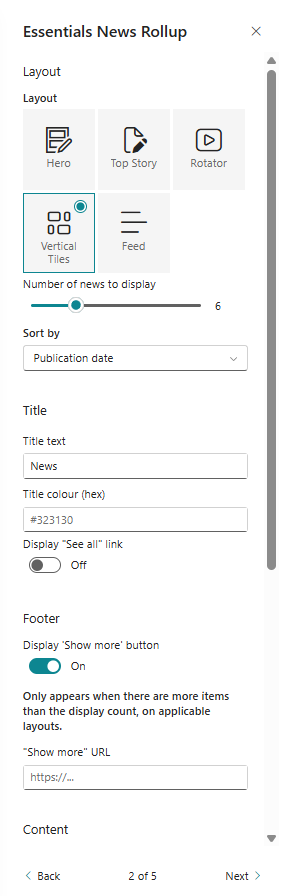
- Choose a news layout from the available options.
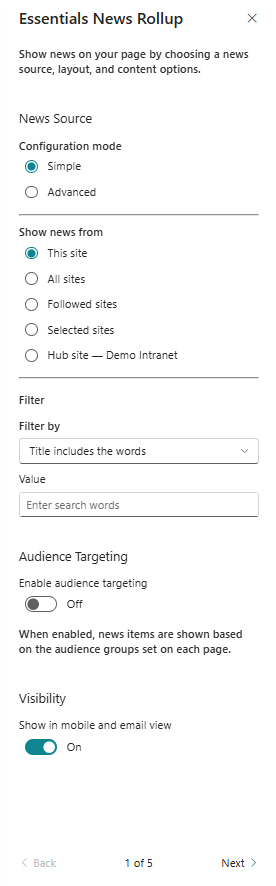
- Select the news source, categories, and filters.
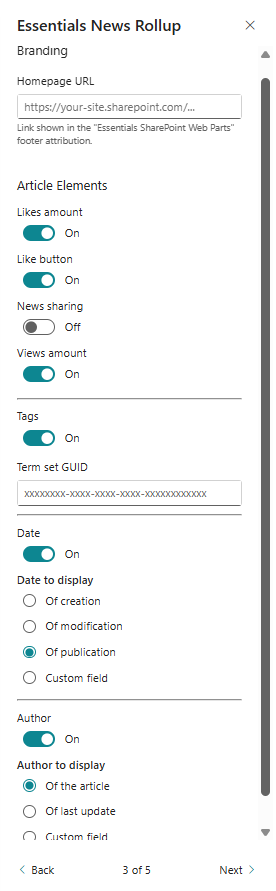
- Configure featured story behaviour and display options.
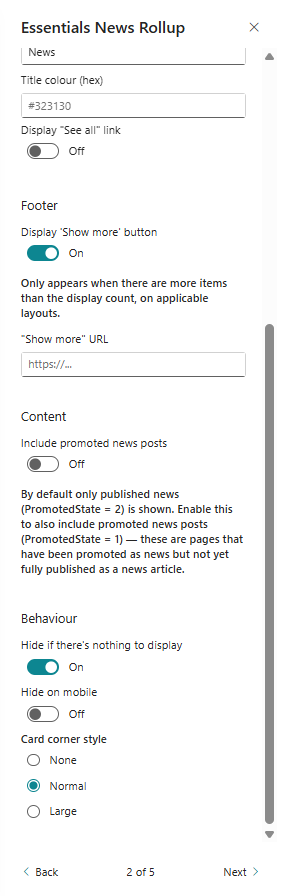
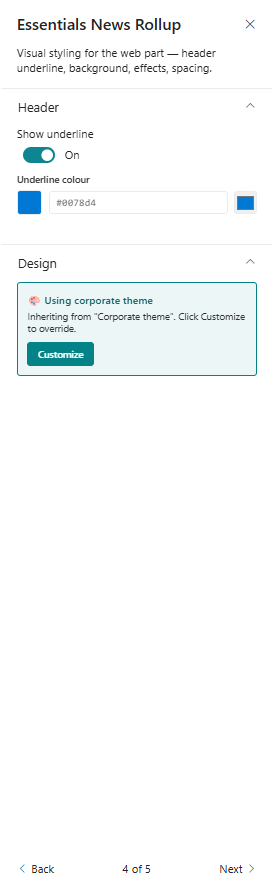
- Fine-tune layout spacing, cards, and visual presentation.
Key Features Configuration
| Feature | Description | Configuration |
|---|---|---|
| Layout selection | Pick from multiple news rollup designs | Multiple news rollup layouts |
| Source configuration | Define where news items come from | Choose news sources and filters |
| Featured story | Spotlight a single news item | Highlight a selected item |
| Presentation | Fine-tune card look and spacing | Adjust cards, spacing, and visual style |
Property Pane Options
| Option | Type | Description |
|---|---|---|
| Layout | Dropdown | Select the news rollup layout |
| Source | Picker | Choose news sources or lists |
| Filters | Text / Select | Configure filters by category or tag |
| Featured item | Toggle / Selector | Enable featured story display |
Illustration