
Essentials YouTube Feed
Stream YouTube videos, shorts and playlists directly on your site with multiple layouts and an inline modal player
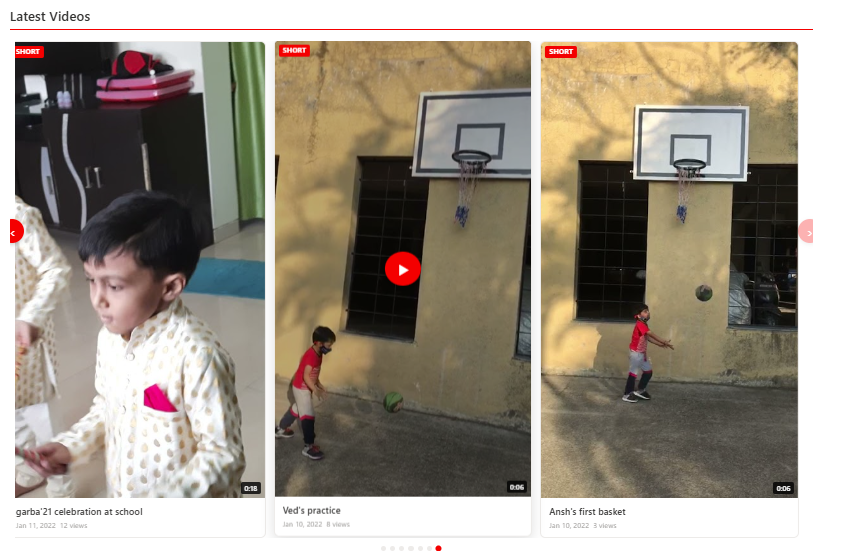
Display a live YouTube feed from a channel or playlist with selectable layouts for video cards, shorts, and grid list views. Videos play in an inline modal overlay so users can watch without leaving the SharePoint page.
About This Webpart
Key Features
Channel or Playlist Source
Enter a channel handle (@YourBrand) or playlist ID as the video source.
Four Layout Modes
Carousel, Grid, Highlight, and List layouts to match your page design.
Inline Modal Player
Videos play in a modal overlay — users watch without leaving the SharePoint page.
YouTube Data API v3
Uses the official YouTube Data API for accurate, real-time video data.
Handle Resolution
Automatically resolves @channel handles to channel IDs — no manual lookup needed.
Screenshots & Media
Configuration Guide
Need help setting up Essentials YouTube Feed? Visit the full step-by-step configuration guide for detailed instructions.
View Configuration Guide →Ready to deploy Essentials YouTube Feed?
Get in touch and we will walk you through installation and configuration.