Essentials YouTube Feed
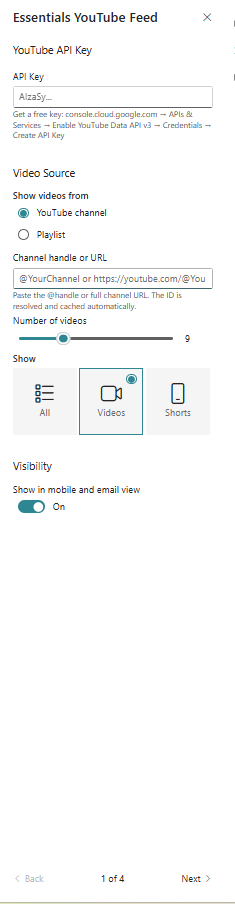
Display YouTube channel or playlist content in configurable feed layouts.
Configuration Guide
- Add the YouTube Feed web part to the page.
- Enter the channel or playlist source.
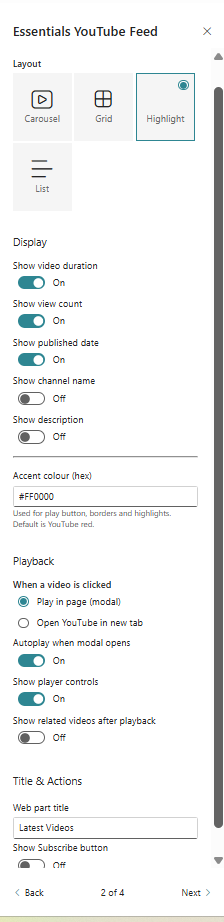
- Choose the feed layout and display style.
- Configure autoplay, captions, and responsive behaviour.
- Preview the feed and ensure videos render correctly.
Key Features Configuration
| Feature | Description | Configuration |
|---|---|---|
| Source | Specify the YouTube channel or playlist | Channel or playlist input |
| Layout | Choose how videos are arranged | Choose video feed layout |
| Playback | Control autoplay and caption behaviour | Configure autoplay/captions |
| Responsive | Adapt the feed for different screen sizes | Adjust mobile display behaviour |
Property Pane Options
| Option | Type | Description |
|---|---|---|
| Source | Text | Enter the YouTube channel or playlist source |
| Layout | Dropdown | Select feed layout |
| Autoplay | Toggle | Enable or disable autoplay |
| Captions | Toggle | Show or hide captions |
Illustration